
A camera that stops showing video may have a camera fault or a problem with power, cabling, networking, recording, the app, or account. Diagnosis and access affect the final cost, so a local quote is more useful than one broad price range.
What a repair visit may cover
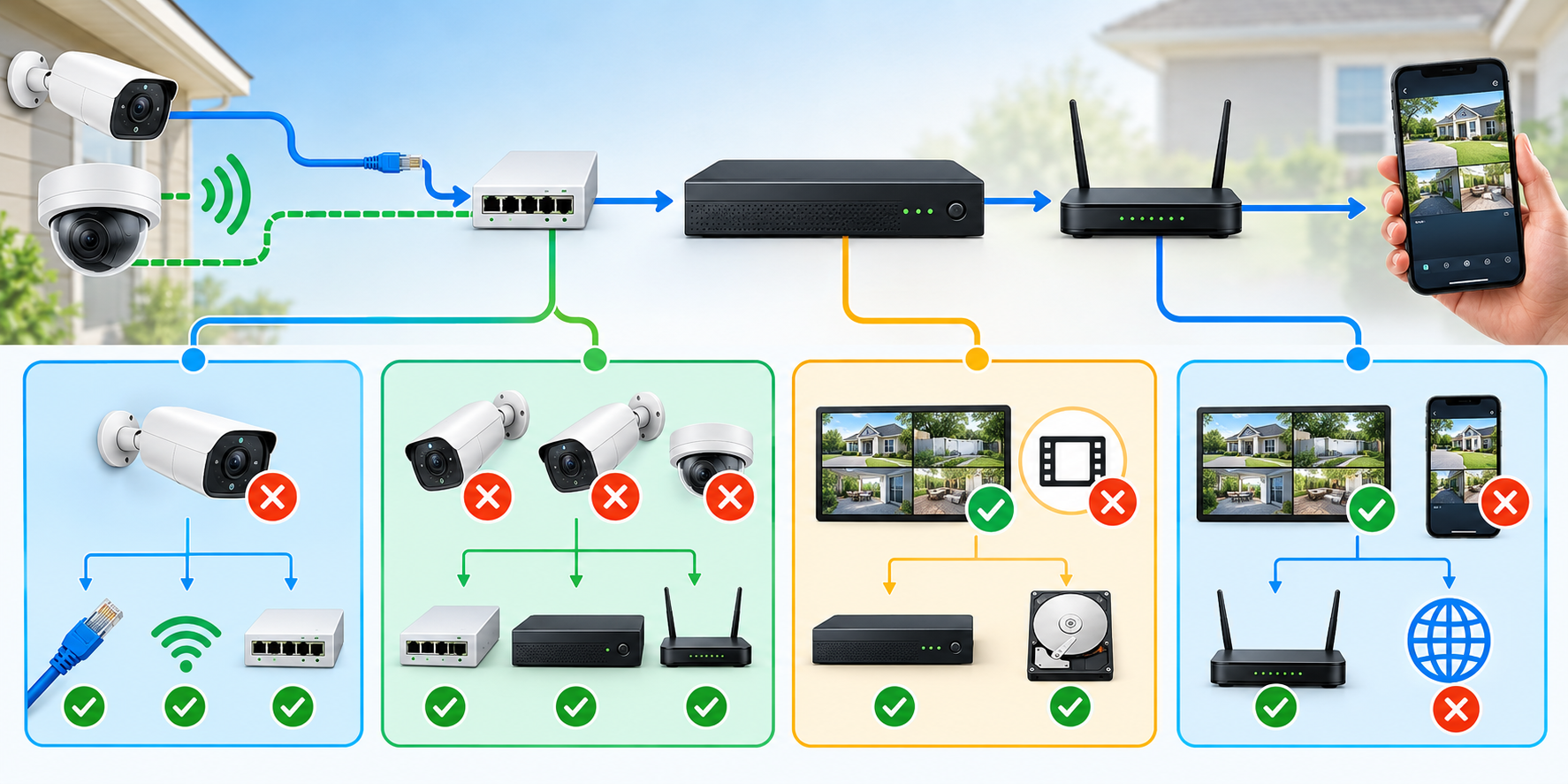
Ask the technician to identify the failed component before replacing equipment. A single offline camera may point to a local connection or device issue. Several cameras failing together can call for checking shared power, a switch, recorder, or network. If live video works but recordings are missing, the recorder settings or storage may be involved. If local viewing works but the phone app does not, remote access or account setup may be a separate issue.
Symptoms do not prove a cause, but they help define what the service call should test. Travel, diagnosis, labor, configuration, parts, cable work, and return visits may be priced separately.
Why quoted prices vary
Camera repair can mean app troubleshooting, connector replacement, cable testing, recorder or drive service, or tracing a fault across several cameras. A reachable recorder is different from a high exterior camera or a cable route behind finished surfaces.
Published offers use different pricing structures. Toronto-area OnyxVision lists repair labor from CA$199 after a walk-through; its separate $99 service-call minimum covers travel and the first hour, but the currency is not specified. Metro Vancouver’s BH Security lists $90 per hour plus a location-based $50–$100 trip charge, with GST and parts extra; its dollar symbol is not currency-coded. New York City’s Abstract Enterprises advertises a broad $150–$1,500 repair range without matching it to a defined fault or itemized scope; its currency is also uncoded. These local offers are not a comparable regional or national range. Confirm current terms in writing.
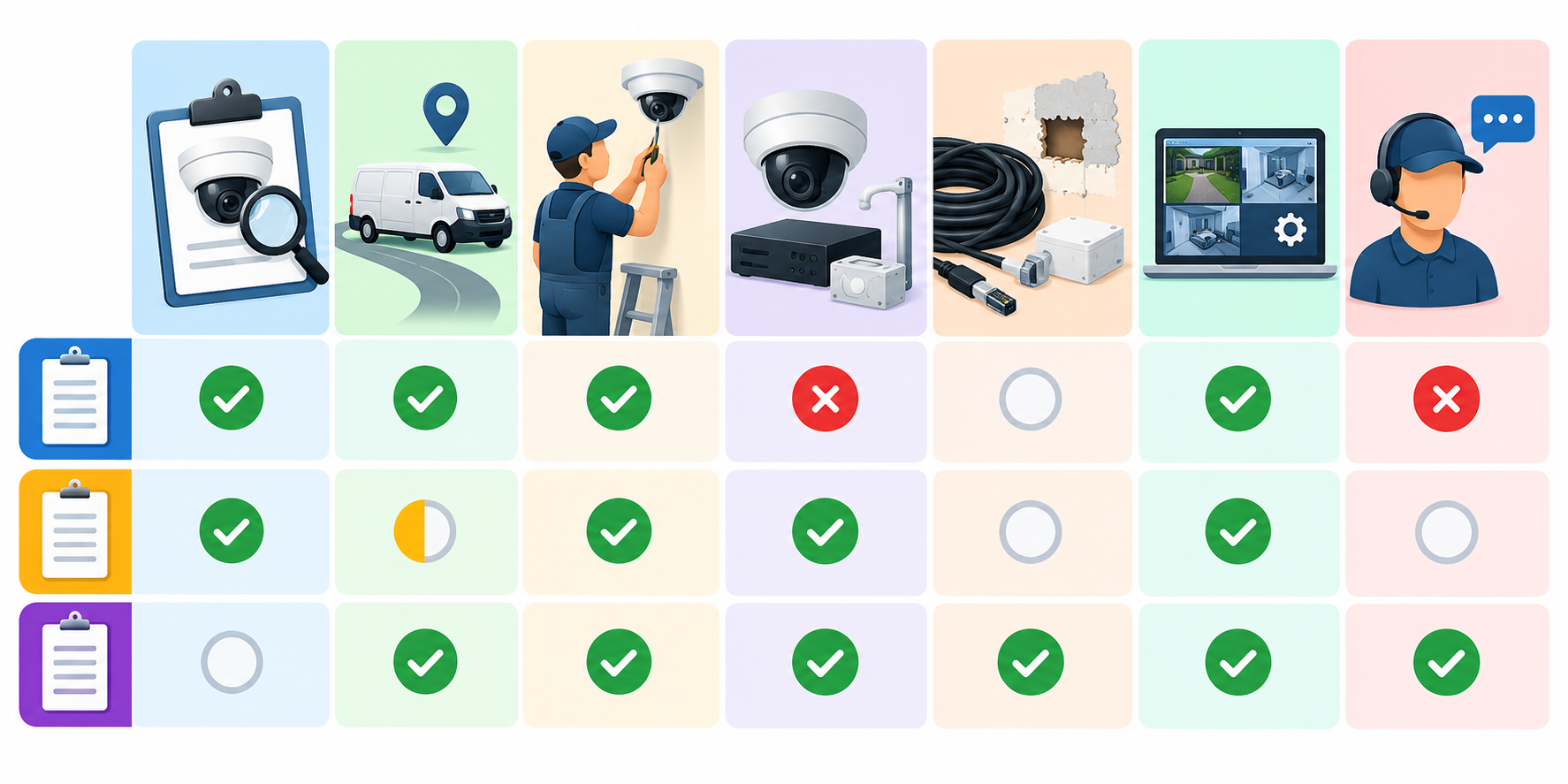
Remote help can fit an app, login, or configuration issue when the provider supports the system. Frontech lists one-issue remote support from $29.99 and a plan at $9.99 per month; the currency is uncoded and on-site visits cost extra on non-annual plans. Physical faults still need on-site testing.
Repair or replace?
Compare repair with a replacement that solves the same problem. Include diagnosis, labor, parts, recorder or switch changes, cabling, setup, and recurring service. Repair may leave unsupported equipment in place; replacement may add unnecessary cost if the fault is isolated.
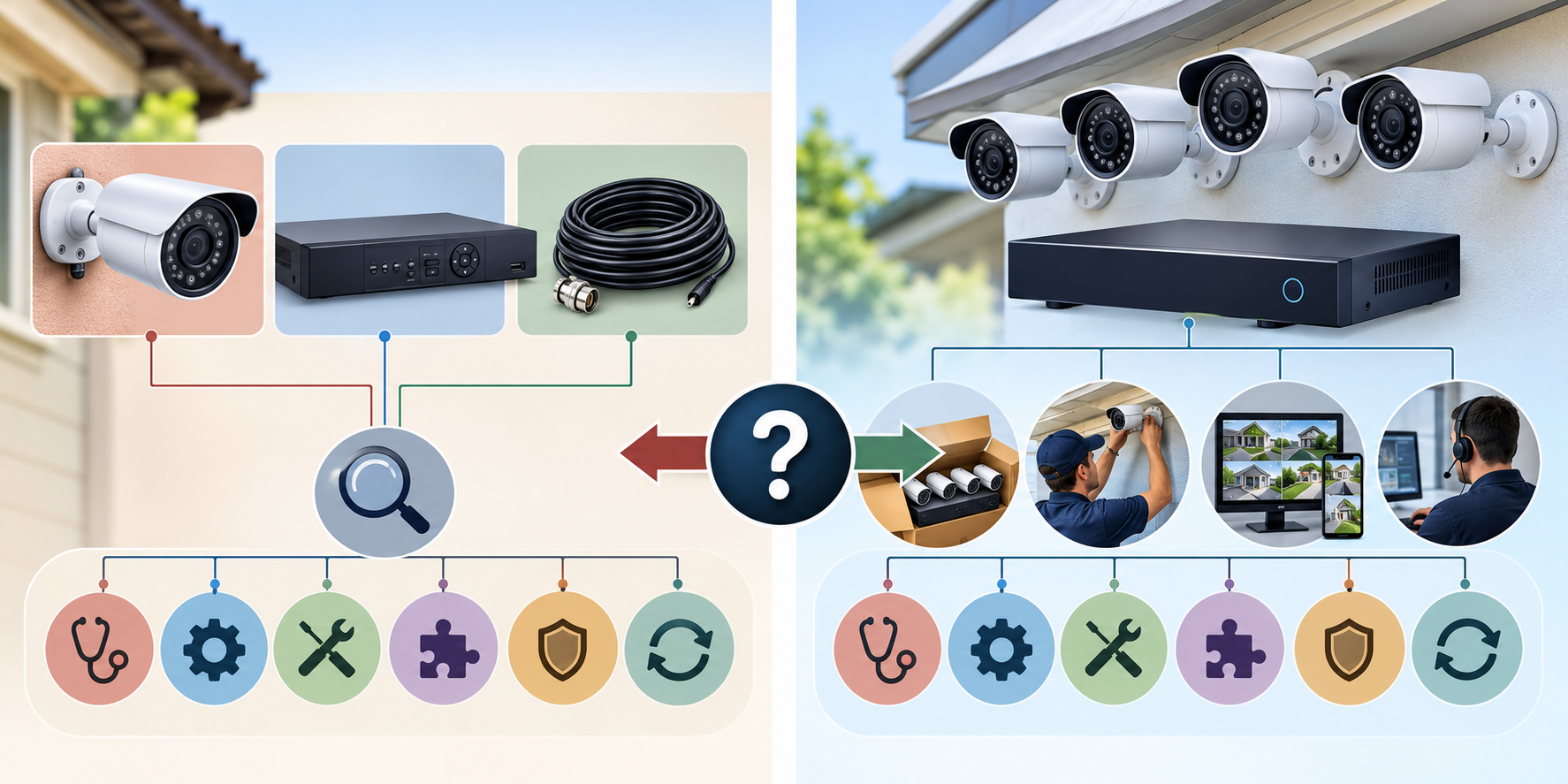
Check the exact model’s warranty before paying for diagnosis or parts. Lorex excludes removal or installation labor from its product-specific coverage; Reolink says out-of-warranty troubleshooting is available but shipping or inspection charges may apply; Axis lists five-year hardware coverage for qualifying products, with exceptions. These policies do not establish that a fault is covered or price field service. Confirm eligibility for the serial number and seller.
Repair is more attractive when the fault is well isolated, the rest of the system remains useful, compatible parts are available, and the system can be tested after work. Replacement may make more sense when several components are unreliable, critical parts or software support are unavailable, the repair approaches the value of a suitable replacement, or the existing setup cannot meet the household’s recording and access needs. Compare the actual proposals rather than applying a fixed age or price threshold.
To make the comparison fair, write down what the current system must do: how many views it needs, whether recording is continuous or event-based, how long footage should remain available, who needs access, and what happens when internet service is interrupted. Ask the replacement bidder to price those same requirements. Otherwise, a lower quote may simply remove recording, access, or support that the household expects to keep.
Choose the service route before paying for a visit
The right first call depends on who owns the relevant support obligation. If the equipment may still be covered, contact the seller or manufacturer with the exact model, serial number, purchase date, and proof of purchase. Warranty coverage can be limited by product class, seller, registration, or the type of failure; confirm the route before hiring an independent repairer if opening or changing the unit could affect eligibility.
For a professionally installed system, start with the original installer or the provider currently responsible for service. They may have the system design, passwords, commissioning record, and knowledge of nonstandard wiring. Ask whether the service agreement includes remote help, an annual visit, or a discounted dispatch, and whether a different contractor can access the system without changing its support terms.
Remote assistance can fit a login, app-pairing, or configuration problem when the equipment is online and the provider supports its model. Physical faults, repeated outages, failed recording hardware, damaged cabling, and multiple cameras going offline usually need on-site diagnosis. A service call may identify the fault without completing the repair, so clarify whether the technician will leave a written diagnosis and fixed quote even when parts are unavailable.
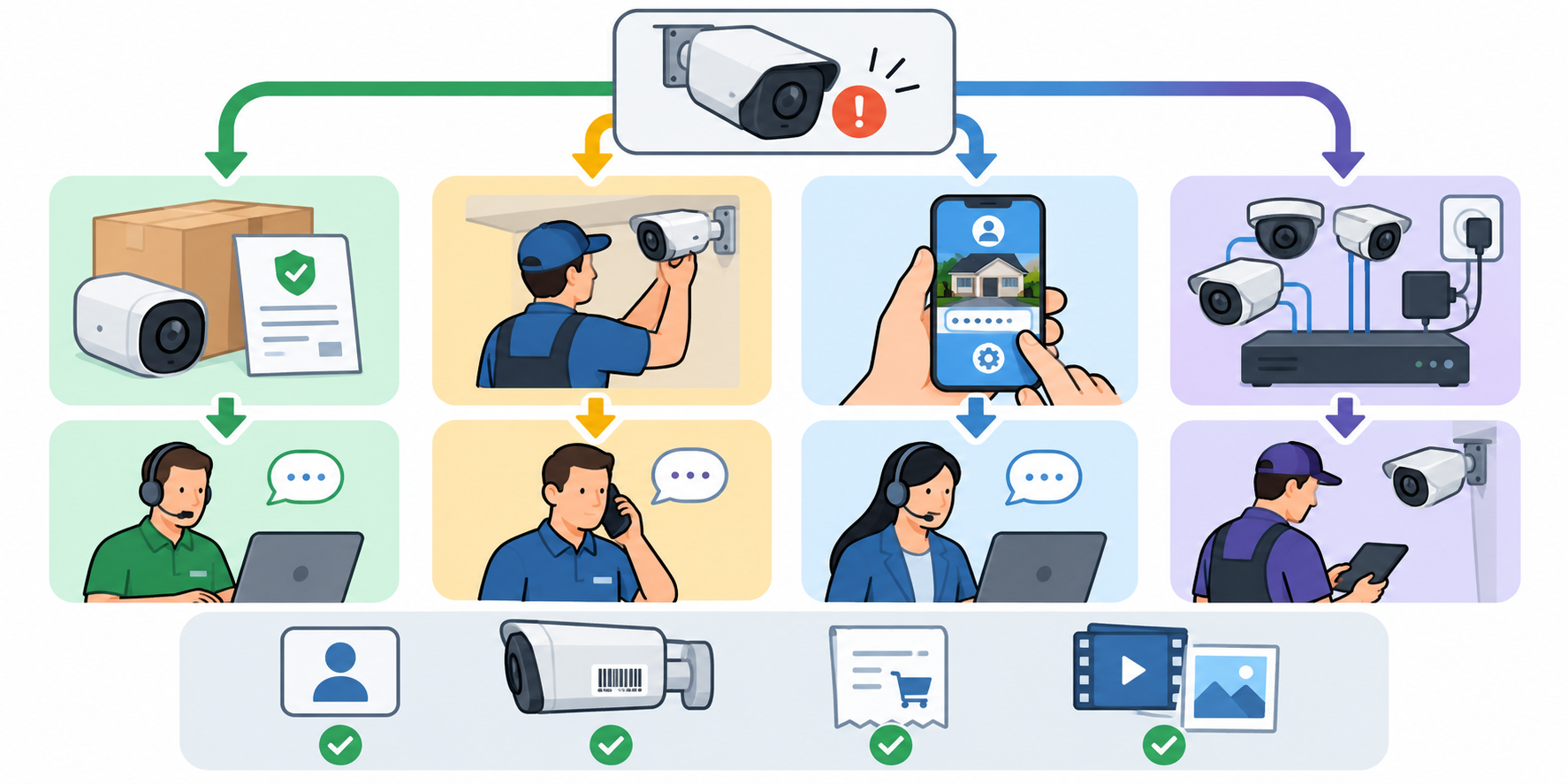
The symptom pattern can help scope the request without attempting a repair. If only one camera is affected, ask whether the visit will test that endpoint and its connection. If several fail at once, ask whether shared power, network equipment, recorder, or a recent system change is included in diagnosis. If recording stopped but viewing still works, state whether live video, playback, and alerts behave differently. If only remote access fails, say whether local viewing still works. Different findings lead to different parts, labor, and follow-up requirements.
Before the visit, make a short inventory of equipment models, affected camera locations, when the problem began, recent power or router changes, warning messages, and prior service. Do not share passwords through an unsecured message. Confirm how the provider will access the system and who will retain administrator access afterward. If recorded footage may matter for an insurance claim or other event, ask how to preserve it before troubleshooting changes settings or storage; do not assume the provider will retain recordings.
Simple and complex repair scenarios
A limited support case may involve one app or account that stopped connecting after a device or network change. If remote support is offered for that model, the homeowner can compare a one-time session with an ongoing plan and check whether an unsuccessful remote session leads to a separate on-site fee. A subscription is valuable only if its covered devices, response channel, and cancellation terms match the need.
A single failed camera, connector, or local cable may be a contained repair if the rest of the system is supported and the point of failure is accessible. The quote should identify whether replacement hardware is new, refurbished, or owner-supplied; whether aiming and recording tests are included; and whether exterior sealing or restoration is part of the work.
A larger case can involve several cameras, an old recorder, storage failure, undocumented routes, unavailable parts, or equipment that no longer receives support. Request separate options for restoring the existing system and replacing only the components that cannot be retained. A full replacement proposal should state what happens to usable cameras and cabling, account ownership, recording retention, network capacity, setup, and future service. These scenarios describe how scope changes, not standard price tiers.
Questions to ask before approving work
- What symptoms and components were tested, and what did each test establish?
- Is the charge for diagnosis separate, credited toward repair, or included only if work proceeds?
- What are the travel, minimum-time, emergency, tax, and return-visit terms?
- Which parts, equipment, cable repairs, configuration, and restoration are included or excluded?
- Will the technician provide a fixed repair quote and get approval before additional work?
- What happens to saved recordings, administrator access, app accounts, and settings during service?
- Is the repair itself warrantied, and who handles a later failure?
- If replacement is proposed, can the existing cable, cameras, recorder, or storage be reused, and what compatibility was checked?
Have the handoff identify the failed part, work completed, replaced model numbers, settings changed, remaining limitations, and who owns future support. This makes a later service call easier to scope and helps keep a repair decision separate from an unrequested system upgrade.
U.S. and Canadian budgeting
The examples above come from individual providers in specific service areas and use different currencies, diagnostic rules, and included work. They do not establish typical U.S. or Canadian repair costs. Request a local quote that separates diagnosis, travel, labor, parts, equipment, configuration, taxes, and follow-up. Do not convert a U.S. amount into a Canadian estimate or treat a provider’s displayed $ as USD or CAD without confirmation.