Pools, Spas & Recreational Water Systems

Project cost and decision guide

Budget pool automation by separating controllers, relays, actuators, equipment compatibility, electrical and network prerequisites, installation, and support.

On this page

Pool Automation and Control System Upgrade Cost

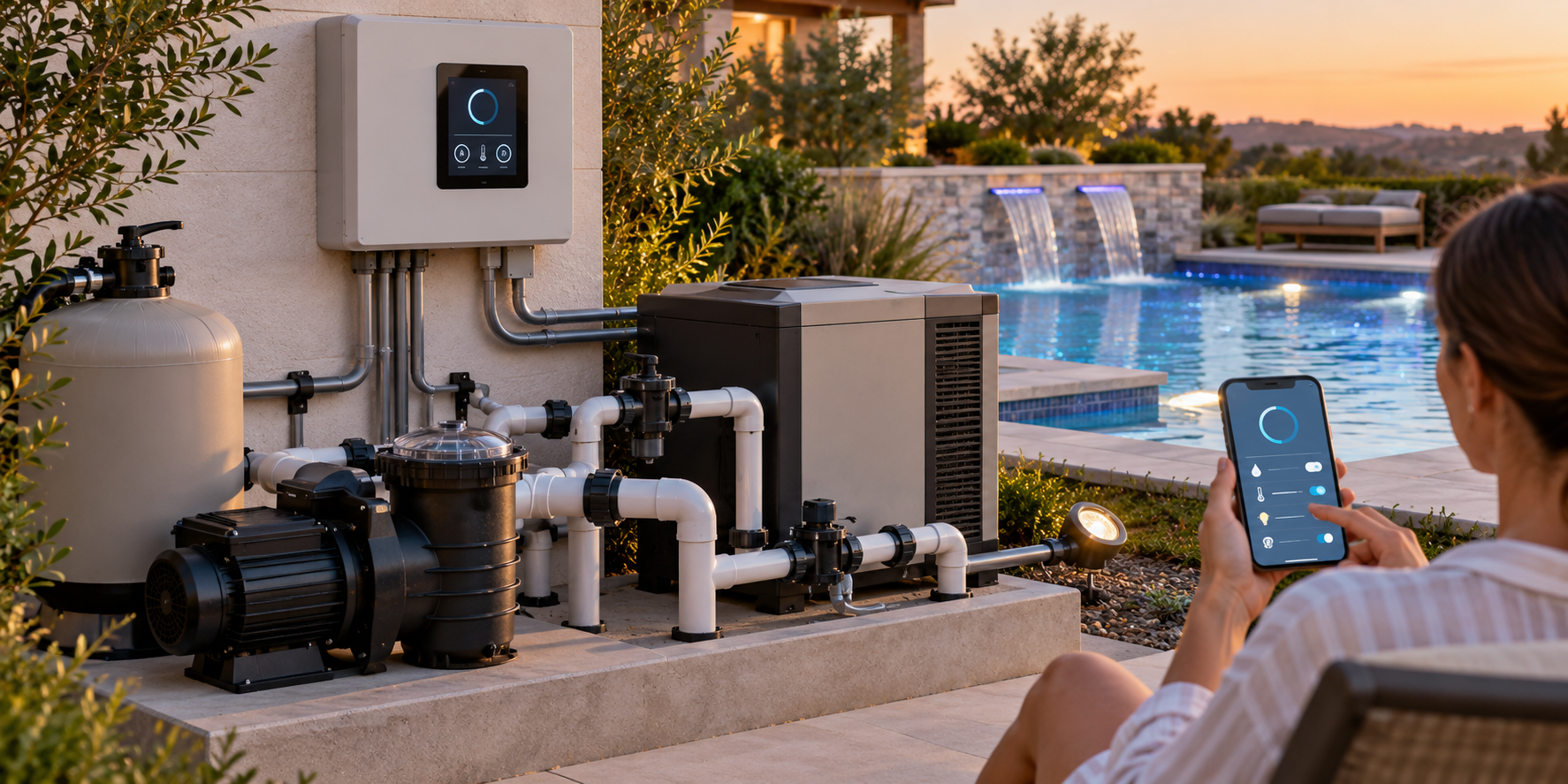
Pool automation is an integrated equipment decision. A controller may coordinate pumps, heaters, valves, sanitation, lights, schedules, and app access, but the upgrade cost depends on what the existing equipment can communicate with and what must be replaced.

What an upgrade may include

Separate the controller or panel, relays, valve actuators, wiring, pump and heater interfaces, lighting and sanitation integration, sensors, app or remote access, programming, electrical work, networking, commissioning, and ongoing support. A basic control change and a whole-system automation project are not comparable scopes.

Compatibility is the main uncertainty

Automation ecosystems can be proprietary and generation-specific. Confirm the exact controller, pump, heater, cell, light, actuator, firmware, communication method, and network requirements. A device that is physically similar or advertised as “smart” is not automatically compatible with the installed system or warranty.

Upgrade or replace equipment?

An automation upgrade may fit when the core equipment is suitable and the owner mainly needs coordinated schedules or remote status. A broader equipment replacement may be more economical when the controller is obsolete, multiple components are incompatible, or pumps, heaters, and sanitation equipment are already near replacement.

Network and electrical boundaries

Pool-specific controls remain here when the aquatic system is the dominant decision. Independent home networking, security, Wi-Fi coverage, or low-voltage infrastructure belongs in the appropriate adjacent scope. Electrical work should be handled by a qualified professional and verified against local requirements.

Quote checklist

Provide equipment model numbers and photos. Ask for a compatibility matrix, included wiring and actuators, programming, app subscription, network assumptions, warranty, training, and what happens if an old component cannot communicate with the new controller.

Cost orientation

Use equipment observations as context, not as an automation price: U.S. signals in this category place pump replacement around $700–$4,000 and heater installation around $1,864–$4,348, while automation adds its own controller, wiring, sensors, programming, and compatibility scope. Request a written equipment schedule and separate electrical or networking work. Product and Canadian-market pricing must be verified locally.

Map the control system before choosing an upgrade

Start with an inventory of what the pool actually has: pump and drive, heater, valves and actuators, sanitizer or salt generator, lights, water-temperature and flow sensors, panel, remote controls, and any existing automation. Record model numbers and which components are working. An app or controller may be the visible part of the system while relays, communication modules, power supplies, or field wiring determine whether the upgrade is feasible.

The most useful proposal identifies each retained, replaced, and newly connected component. It should say whether the new controller can operate the installed pump, heater, cell, lights, and actuators, and what happens if a legacy component cannot communicate. Compatibility should be confirmed in product documentation or by the qualified installer; a generic “smart” label is not a compatibility matrix.

Choose a scope that matches the owner’s goal

A basic control replacement may address schedules, relays, or a failed panel. A coordinated upgrade may add variable-speed pump control, heater integration, valve positioning, sanitation monitoring, lighting scenes, and remote status. A whole-pad modernization may also replace equipment that is near the end of its service life. These scopes should remain separate in the quote so remote access is not confused with equipment replacement.

Network access is only one layer. A controller may depend on local signal, internet service, a subscription, or a manufacturer platform. Ask what remains functional if the network or cloud service is unavailable, who provides account setup, and what ongoing fees or support obligations apply. Independent home Wi-Fi, security, or structured wiring may belong to another project even when the pool app uses the same household network.

Cost scenarios and quote questions

For a controller-only change, compare panel, relays, programming, retained equipment, commissioning, training, and warranty. For a mixed-generation system, include communication modules, actuators, sensors, wiring, and conditional allowances for obsolete equipment. For a full equipment project, compare automation and equipment replacement as separate but coordinated scopes, with electrical work, permits, startup, and disposal visible.

Ask for the exact equipment list, compatibility assumptions, included wiring and conduit, electrical responsibility, network requirements, programming, app or subscription terms, testing, data or privacy expectations, service support, and exclusions. Pool electrical work should be assessed against current local requirements by qualified professionals; the cost article does not provide live wiring instructions.

Inventory the system before choosing a platform

Record the pump and drive, heater, valves and actuators, sanitizer or salt generator, lights, flow and temperature sensors, panel, relays, remote controls, and existing network or automation. Model numbers matter because communication methods can vary by generation. An app may be the visible part of the system while relays, modules, field wiring, power supplies, and sensors determine feasibility.

The proposal should identify each retained, replaced, and newly connected component. Ask whether the proposed controller can operate the installed pump, heater, cell, lights, and actuators, what adapters or communication modules are needed, and what happens if an older component cannot communicate. Physical similarity or a generic “smart” label does not establish compatibility.

Match the scope to the owner’s goal

A panel or relay replacement may address a failed control. A coordinated upgrade may add pump schedules, heater integration, valve positioning, sanitation monitoring, lighting, sensors, and remote status. A whole-pad modernization may also replace equipment near the end of its service life. Keep these scopes separate so the price for app access is not confused with equipment, electrical, or hydraulic work.

Network access has ongoing assumptions. Ask whether the system depends on local Wi-Fi, internet service, a subscription, a manufacturer platform, or a phone app; what remains functional if the network is unavailable; who sets up accounts; and what support or fees recur. Independent household Wi-Fi coverage, security, and structured wiring may need separate scopes.

Compare installation scenarios

For a controller-only change, compare panel, relays, retained equipment, programming, commissioning, training, and warranty. For mixed-generation equipment, include adapters, actuators, sensors, wiring, conditional replacement, and compatibility testing. For a full equipment project, keep automation, pump, heater, sanitation, lighting, plumbing, electrical, permits, startup, and disposal visible as coordinated but distinct lines.

Ask for the equipment schedule, compatibility evidence, wiring and conduit scope, electrical responsibility, network requirements, programming, subscriptions, data or account support, testing, maintenance, warranty, and exclusions. Pool electrical work should be assessed by qualified professionals against current local requirements; this article is not live wiring guidance.

Keep the system usable after the upgrade

Ask what local controls remain available if the phone, network, cloud service, subscription, or manufacturer platform is unavailable. Confirm account ownership, transferability, firmware or support expectations, manual operation, and who trains the owner. A remote feature is less valuable if the owner cannot operate the equipment safely or obtain service after the installer leaves.

Closeout should include model numbers, wiring or component schedule, programming assumptions, test results, warranty, app or subscription terms, and a record of retained legacy components. If one old pump, heater, light, or cell remains outside the new system, document that boundary so a later fault is not assumed to be an automation failure. Keep independent home networking and electrical work separately owned.

Require a usable closeout

The owner should receive the equipment schedule, compatibility decisions, retained legacy components, programming, network and subscription terms, account ownership, test results, warranty, and service contact. Ask what remains operable if the network, app, cloud service, or remote account is unavailable. A controller upgrade is not complete if the owner cannot understand or safely operate the system after handoff.

After the first season, compare schedules, flow, heating, sanitation, lighting, valve operation, alerts, and service calls with the promised function. Record which problems are automation-related and which belong to the underlying pump, heater, filter, cell, light, or electrical system. This prevents the next proposal from replacing a controller when the actual condition is outside its scope.

Key points

  • Automation cost depends on integration, not only the controller price.
  • Proprietary and generation-specific compatibility must be verified.
  • Separate pool controls from independent home networking or security work.
  • Get a written equipment and compatibility schedule before approving the upgrade.

Research notes

Sources used for this guide